Projects

Cryogenesis
May 14, 2026

Cryogenesis

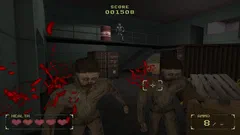
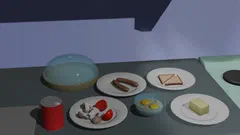
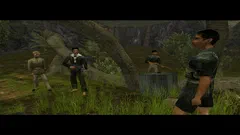
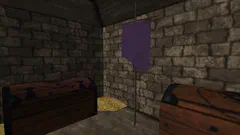
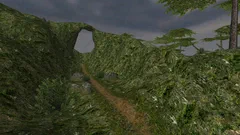
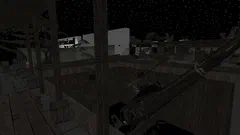
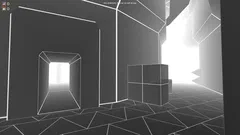
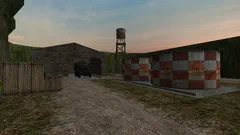
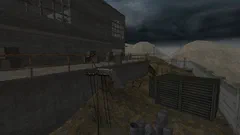
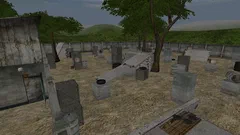
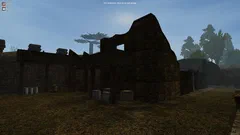
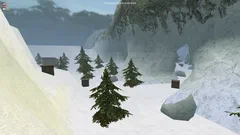
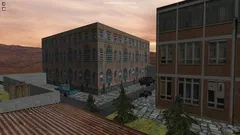
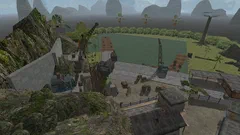
A first-person rail shooter currently in the prototyping stage, developed as part of the Game Development course at Masaryk University in a team of three together with Mikuláš Šťastný, Adam Renčo. The initial prototype was co-developed also with Jo Hyorim. The game is set in an alternative 1990s setting with sci-fi elements, where the player fights monsters infected by a cryogenic parasite. The atmosphere focuses on cold, darkness, and confined spaces, with a sense of isolation. The player progresses through a scientific facility and eventually attempts to destroy the ice core that empowers the hostile creatures. Game demo The project originally started as a four-week prototype and was later expanded over the course of one semester. I was primarily responsible for implementing the camera system, including the event scheduling system that drives gameplay events along the camera path. I also led most of the art direction, with a primary focus on level design and environment art, including 3D modeling of environments and props, as well as texture authoring. ⛶ ⛶ ⛶ ⛶ ⛶ ‹ › Cryogenesis ‹ › The video below showcases a demo level developed in Unity over the course of one semester. Compared to the original prototype, the visual direction evolved toward a different – yet still retro – aesthetic, with a blend of modern lighting and high-fidelity visual effects. Game demo developed in Unity over one semester Environment art A selection of environment art created for the project. ⛶ ⛶ ⛶ ⛶ ⛶ ‹ › Cryogenesis ‹ › Game prototype ⛶ ⛶ ⛶ ⛶ ⛶ ‹ › Cryogenesis ‹ › The video below shows a prototype developed in Unity over the course of four weeks, featuring core gameplay mechanics and simple custom visuals, which aim to evoke a retro, PS1-style aesthetic. Game prototype developed in Unity over four weeks
Lightmap Generator
April 14, 2025

Lightmap Generator

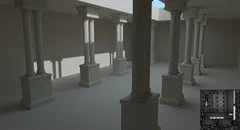
A lightmap baking tool I developed as part of my Bachelor’s thesis, focused on precomputed global illumination in 3D scenes. It supports interactive scene visualization, light setup, and lightmap baking, with global illumination computed using a CPU-based path tracer. Results are generated progressively and can be inspected during the bake. The thesis goes beyond the implementation, it documents both the underlying theory and the complete lightmapping pipeline, making it a practical reference for understanding how these systems work. Results To demonstrate the capabilities of the tool, a test scene inspired by The Baking Lab (Neubelt, Pettineo) was used, as it provides a controlled setup for evaluating different lightmapping approaches. The scene is designed to highlight different lighting effects and the strengths of individual lightmap representations. Indirect lighting is achieved through light bouncing off differently colored walls Shadowing is demonstrated using small occluding objects Transparency is showcased using a partially transmissive mesh (a fence above the scene) Directional lightmaps enable lighting reconstruction on normal-mapped surfaces The lighting setup consists of a spot light above the scene and a point light inside it. Lightmaps are generated with 64 samples per texel and up to 4 light bounces, and are intended for use with bicubic filtering. Precomputed global illumination (3rd-order SH); albedo + normal mapping. ⛶ Precomputed global illumination (3rd-order SH); albedo + normal mapping. Precomputed global illumination (3rd-order SH); lighting only, normal mapping. ⛶ Precomputed global illumination (3rd-order SH); lighting only, normal mapping. Precomputed global illumination (non-directional); albedo. ⛶ Precomputed global illumination (non-directional); albedo. Precomputed global illumination (non-directional); lighting only. ⛶ Precomputed global illumination (non-directional); lighting only. Precomputed direct lighting (3rd-order SH); lighting only, normal mapping. ⛶ Precomputed direct lighting (3rd-order SH); lighting only, normal mapping. Dynamic direct lighting (no shadows); albedo + normal mapping. ⛶ Dynamic direct lighting (no shadows); albedo + normal mapping. Dynamic direct lighting only (no shadows); normal mapping. ⛶ Dynamic direct lighting only (no shadows); normal mapping. Dynamic direct lighting only (no shadows); face normals. ⛶ Dynamic direct lighting only (no shadows); face normals. ‹ › Lightmap Generator ‹ › Core Approach Global illumination is computed using a custom CPU-based path tracer, progressively accumulating samples for each lightmap texel. The integration is based on quasi-Monte Carlo methods, using low-discrepancy sequences to improve convergence compared to purely random sampling. A denoising step is applied during postprocessing to reduce Monte Carlo noise. The implementation is limited to diffuse global illumination, assuming a Lambertian BRDF and using cosine-weighted hemisphere sampling for indirect bounces. Scenes can be lit using analytical (infinitesimal, zero-area) light sources – directional, point, and spot lights. It also supports transparency, allowing rays to pass through partially transmissive surfaces. Computed lighting is stored in HDR lightmaps, with optional directional encoding using 3rd-order spherical harmonics to support normal mapping. The tool uses a custom, lightweight OpenGL-based engine for visualization, with an ImGui-based UI for interaction. In addition to lit scene rendering, it provides debug views for lightmap charts and texel density directly on surfaces. Lightmap generation process in the tool ⛶ Lightmap generation process in the tool Visualization of surface-to-chart assignment within the lightmap atlas ⛶ Visualization of surface-to-chart assignment within the lightmap atlas Texel density visualization, color-coded by texel-to-surface size ratio: blue = insufficient, green = optimal, red = excessive ⛶ Texel density visualization, color-coded by texel-to-surface size ratio: blue = insufficient, green = optimal, red = excessive Progressively generated lightmap (without denoising) ⛶ Progressively generated lightmap (without denoising) Progressively generated lightmap (with denoising) ⛶ Progressively generated lightmap (with denoising) Final generated lightmap texture ⛶ Final generated lightmap texture ‹ › Lightmap Generator ‹ › View full thesis (Czech only) Lightmap atlas & UV parametrization The lightmap atlas is generated using xatlas, which segments geometry into charts – typically contiguous surface regions with similar face normals – and packs them into a non-overlapping UV layout. To support both bilinear and bicubic filtering, the atlas includes a three-texel padding (gutter), preventing light leaking between neighboring charts during texture sampling. Acceleration structures The tool uses two complementary acceleration structures: A BVH (Intel Embree) built from the scene snapshot, used to accelerate ray intersection queries during path tracing. A uniform 3D grid for light culling, where each cell stores the lights affecting its volume. Since lights are modeled with bounded influence (finite falloff), this allows efficient evaluation of only relevant light sources during path tracing. Preprocessing Preprocessing establishes the mapping between lightmap texels and surface geometry and generates sampling points for lighting evaluation. Instead of sampling only at texel centers, each texel is populated with 64 samples using a Hammersley low-discrepancy sequence. A so-called dilation map is also generated to handle padding texels. For texels within a two-texel radius of chart boundaries, the tool precomputes mappings between fill targets and valid source texels. Lighting computation Global illumination is computed using a CPU-based path tracer with multi-threaded execution, where each thread processes a subset of texels. The computation is progressive, allowing intermediate results to be visualized during baking. Primary rays are sampled using a Halton low-discrepancy sequence over the hemisphere. Secondary bounces use cosine-weighted sampling, assuming a Lambertian BRDF. The system supports transparency, allowing rays to pass through partially transmissive surfaces. Postprocessing Firstly, texel dilation is performed on the GPU via a compute shader, using the precomputed dilation map. Secondly, as Monte Carlo integration naturally produces noisy results, a denoising step is applied using Intel Open Image Denoise (OIDN), running on either CPU or GPU depending on hardware availability. Lightmap representation The system supports two lightmap formats: Directional lightmaps, storing lighting using 3rd-order spherical harmonics (9 coefficients per texel / 9 textures), enabling reconstruction based on surface normals (suitable for normal mapping) Non-directional lightmaps, storing irradiance per texel (single texture) Lightmap coefficients are stored in HDR using RGBM encoding (range ⟨0, 5⟩ in gamma space), allowing them to be saved in standard PNG format while preserving dynamic range. Limitations While the tool is capable of producing visually convincing results, achieving high-quality output often requires iterative tuning of parameters. As a result, effective use of the tool assumes a basic understanding of lightmapping principles and their impact on the final solution. The most significant limitation, is the absence of a dedicated solution for smoothing lighting discontinuities at chart seams. Since adjacent charts are computed independently, visible seams can appear due to differences in computed lighting coefficients. This artifact is most noticeable at lower lightmap resolutions and becomes less pronounced as resolution increases, but without explicit seam correction, it cannot be fully eliminated. Artifact: Lighting discontinuities at chart seams.Left: chart segmentation (color-coded). Right: generated lightmap. Discontinuities appear along chart boundaries. Tech stack C++20 OpenGL 4.6 – rendering and GPU-based computation xatlas – lightmap atlas generation and UV parametrization Intel Embree – BVH construction and ray intersection acceleration Intel Open Image Denoise (OIDN) – denoising of path-traced lightmaps ImGui – user interface
Blender Ptero Tools
November 9, 2021

Blender Ptero Tools

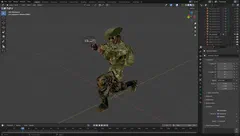
A Blender addon adding full support for Vietcong / Vietcong 2 (Ptero-Engine-II / Ptero-Engine-III) 3D formats which enables creation of custom 3D assets for both games. While official tools existed, they were limited to outdated versions of 3ds Max (7/8) and lacked support for advanced workflows such as character creation, skeletal animation, and vehicle assets. In addition, the dependency on licensed software and plugins incompatible with modern versions made them impractical to use. To overcome these limitations, I developed a complete Blender-based toolchain, enabling modern and more efficient asset workflows. The project involved extensive reverse engineering of proprietary file formats. The addon supports complete import/export of engine formats, including skeletal meshes, animations, facial expressions, and equipment placement, while also exposing engine-specific configuration and material settings. An animated equipped character imported into Blender ⛶ An animated equipped character imported into Blender A character 3D model imported into Blender ⛶ A character 3D model imported into Blender A character 3D model imported into Blender ⛶ A character 3D model imported into Blender A character 3D model imported into Blender ⛶ A character 3D model imported into Blender A building 3D model imported into Blender ⛶ A building 3D model imported into Blender The standard Suzanne test mesh from Blender, exported using the tool and imported into Ptero-Engine-II ⛶ The standard Suzanne test mesh from Blender, exported using the tool and imported into Ptero-Engine-II ‹ › Blender Ptero Tools ‹ › Even before full animation support was implemented, I used an early version of the addon to create Koppa (2020), likely the first map created entirely in Blender for Vietcong. The tools were developed for personal use and were never publicly released. Key features Engine-specific object configuration and asset properties Support for skeletons, skeletal animation, and shape keys Full support for Ptero-Engine-II/III materials BES (3D model) import/export STG (skeletal animation) import/export MANM (model animation) import/export EQP (equipment placement) import/export XDT (facial expression sets) import/export Showcase MAT 49 weapon ported from Vietcong 2 to Vietcong 1, shown in Blender ⛶ MAT 49 weapon ported from Vietcong 2 to Vietcong 1, shown in Blender MAT 49 weapon ported from Vietcong 2 to Vietcong 1, shown in-game ⛶ MAT 49 weapon ported from Vietcong 2 to Vietcong 1, shown in-game Custom first-person hand animation; player hands ported from Vietcong 2 ⛶ Custom first-person hand animation; player hands ported from Vietcong 2 Captain Boone ported from Vietcong 2 to Vietcong 1; player hands ported from Vietcong 2 ⛶ Captain Boone ported from Vietcong 2 to Vietcong 1; player hands ported from Vietcong 2 Custom character used for in-game skeleton visualization (octahedral debug representation) ⛶ Custom character used for in-game skeleton visualization (octahedral debug representation) Tommy (Mafia: The City of Lost Heaven) ported into Vietcong 1 ⛶ Tommy (Mafia: The City of Lost Heaven) ported into Vietcong 1 CS:GO character ported into Vietcong 1 ⛶ CS:GO character ported into Vietcong 1 Customized animal 3D model (cow/buffalo) ⛶ Customized animal 3D model (cow/buffalo) ‹ › Blender Ptero Tools ‹ › A character walk animation imported into Blender A first-person hand animation imported into Blender (slowed down) Tech stack Python Blender Python API NumPy
Lutsip LS3D Editor
November 17, 2020

Lutsip LS3D Editor

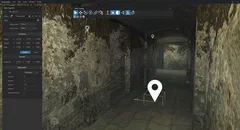
A custom level editor for Hidden & Dangerous 2, powered by my own C# OpenGL-based 3D engine, developed as part of my high school capstone project. The project required an in-depth analysis and partial reimplementation of the original game engine, as no official modding tools or documentation were available. Over the course of a year, I reverse engineered most relevant file formats and built an editor for creating and complete editing of game levels. While some tools already existed, they lacked a 3D view and supported only a limited subset of features, making it effectively impossible to create new levels or significantly modify existing ones. The editor significantly improves the modding workflow, allowing creators to design levels in a more intuitive and efficient way. Its release marked a new era for Hidden & Dangerous 2 modding. ⛶ ⛶ ⛶ ⛶ ⛶ ⛶ ⛶ ⛶ ‹ › Lutsip LS3D Editor ‹ › View release page Technical insight Working on Lutsip provided practical experience with real-time rendering techniques used in older game engines, such as the LS3D Engine. The project involved implementing and understanding core concepts such as: Scene graph Gouraud/Phong shading View frustum culling Sector/portal/occluder occlusion culling Uniform spatial grids for collision detection Lightmapping Morph target animation Many modern rendering systems still rely on these techniques, often in evolved forms. Key features Full scene editing (models, lights, sounds, particle effects and other objects) Assigning 25+ actor types (characters, vehicles and other interactive objects) AI navigation waypoint grid editing Colliders creation Special graphics effects configuration (animated water, volumetric lighting, vegetation, etc.) Characters’ inventory editing Animation path editing (for cameras/aircrafts) Tech stack C# OpenGL – real-time rendering OpenTK – OpenGL bindings for C# Windows Forms – UI with mostly custom-drawn components using GDI+
Blender LS3D Tools
November 16, 2020

Blender LS3D Tools

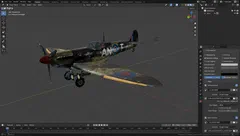
A Blender addon developed as a companion tool to the Lutsip LS3D Editor, enabling the Hidden & Dangerous 2 modding community to create custom 3D assets for the game. The addon adds support for the 4DS format, allowing users to import, create, and export all supported object types. It provides full control over LS3D-specific object types and materials, including engine-specific settings. The tool was built as one of my first Blender addons, so the internal codebase could be improved. However, it remains fully functional and is still actively used by modders to create custom levels, weapons, and other assets for the game. The la_spitfire.4ds 3D model imported into Blender ⛶ The la_spitfire.4ds 3D model imported into Blender The la_Jeepsas.4ds 3D model imported into Blender ⛶ The la_Jeepsas.4ds 3D model imported into Blender The Czech1 mission scene.4ds 3D model imported into Blender ⛶ The Czech1 mission scene.4ds 3D model imported into Blender The standard Suzanne test mesh from Blender, exported using the tool and imported into the LS3D engine ⛶ The standard Suzanne test mesh from Blender, exported using the tool and imported into the LS3D engine ‹ › Blender LS3D Tools ‹ › View on GitHub Showcase Video showing the tools in use, by Sasha. Video showcasing custom armory created using the tools, by Sasha. Video showcasing custom vehicle created using the tools, by Sasha. Limitations No support for skeletal meshes or morph targets (shape keys), making character creation impossible Missing export support for flat shading normals (all meshes are implicitly exported as smooth shaded) Key features 4DS import/export Engine-specific object configuration Standard mesh, billboard mesh creation Sectors, portals, occluder creation Lens flares creation Complete LS3D material settings support Complete LS3D object settings support Tech stack Python Blender Python API

Projects